Sites and Servers

App developers for the jobs a website can't do.

A booking system with rules no plugin handles. A customer portal. A job sheet your crew fills in on their phones. We build web apps and phone apps. You get a written scope and price before any money changes hands.

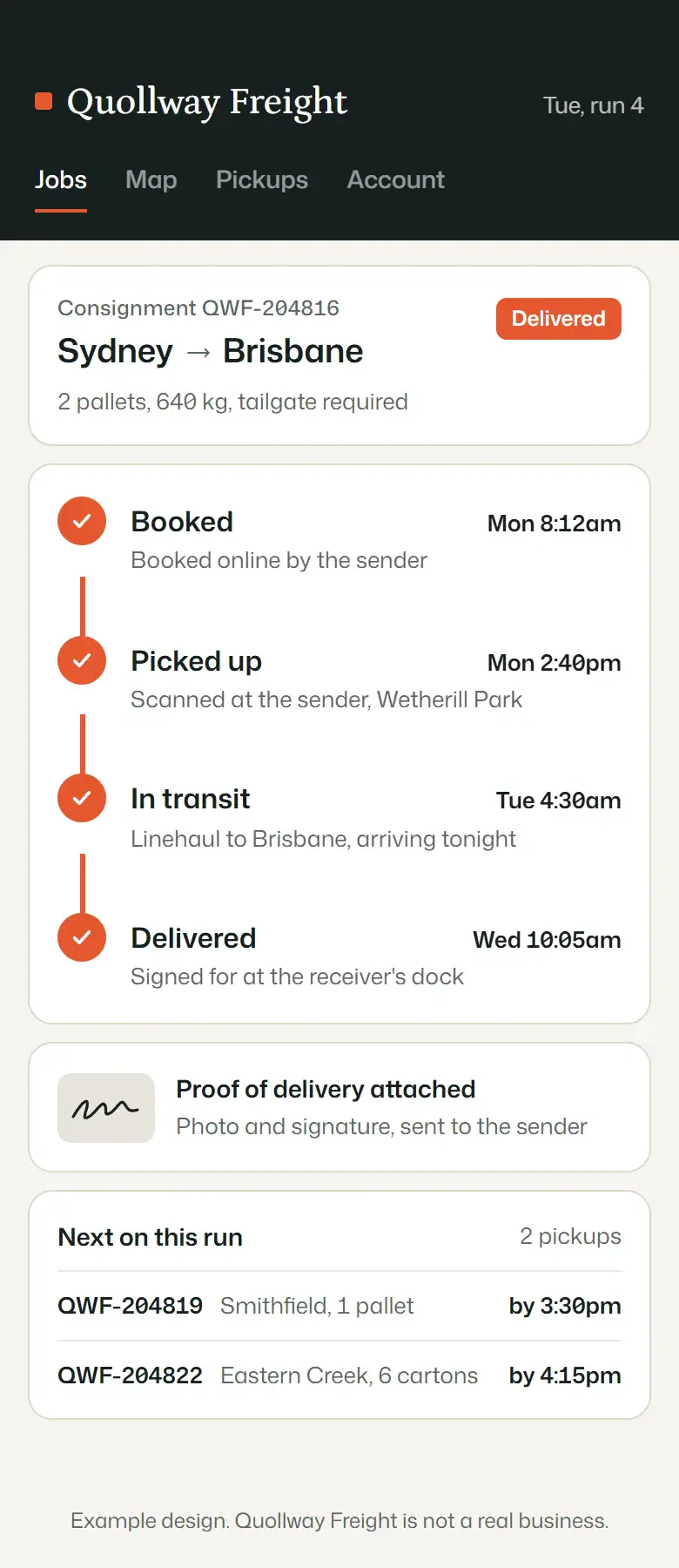
An example freight app on a phone: a consignment moving from booked to delivered, with proof of delivery attached
Example design. Quollway Freight is not a real business.
Four apps we'd build, drawn for businesses that don't exist

Each is drawn the way a first version would look. No client's app appears here. Yours would start from your own job sheets, spreadsheets and the questions your staff answer ten times a day.

The same example freight app, shown on its own: the consignment with all four stages complete and proof of delivery attached

Freight booking and tracking

The sender books online. The driver sees the run on their phone. The customer follows every scan without ringing the depot. Proof of delivery attaches itself.

  1. Booked online by the sender
  2. Picked up, scanned at the door
  3. In transit on the linehaul
  4. Delivered, signed for, photo attached

Example design. Quollway Freight is not a real business.
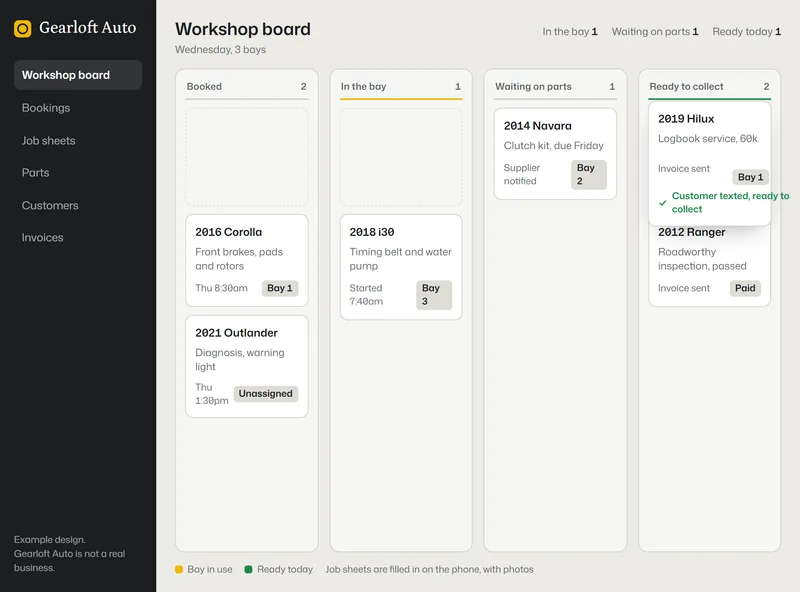
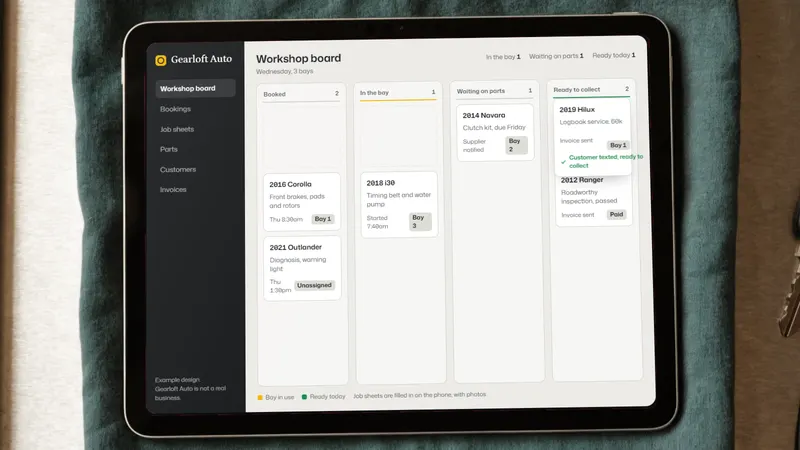
An example workshop board on a tablet lying on a mechanic's rag, with job cards in columns from booked to ready to collect

Swipe sideways to see the whole screen.

The same example workshop board, shown on its own: job cards in columns from booked to ready to collect

A workshop board

Every bay and every job on one screen. Website bookings drop into the first column. The mechanic drags the card along as the work moves. When the car's ready, the customer gets a text.

  1. Booked from the website
  2. In the bay, job sheet on the phone
  3. Waiting on parts, supplier notified
  4. Ready to collect, invoice sent

Example design. Gearloft Auto is not a real business.

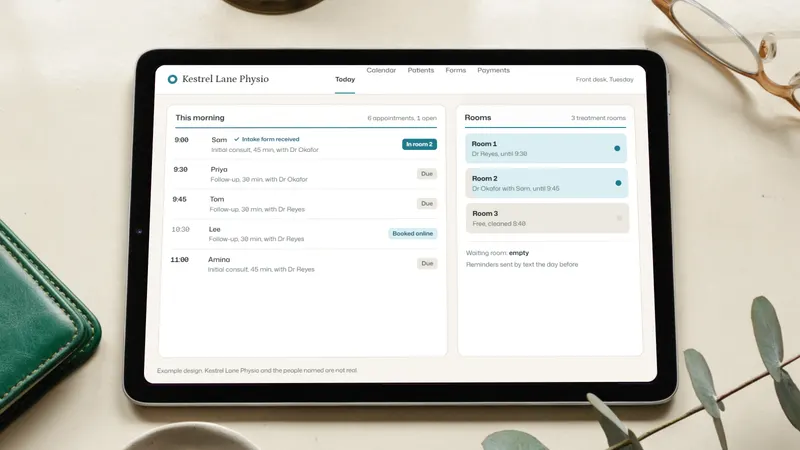
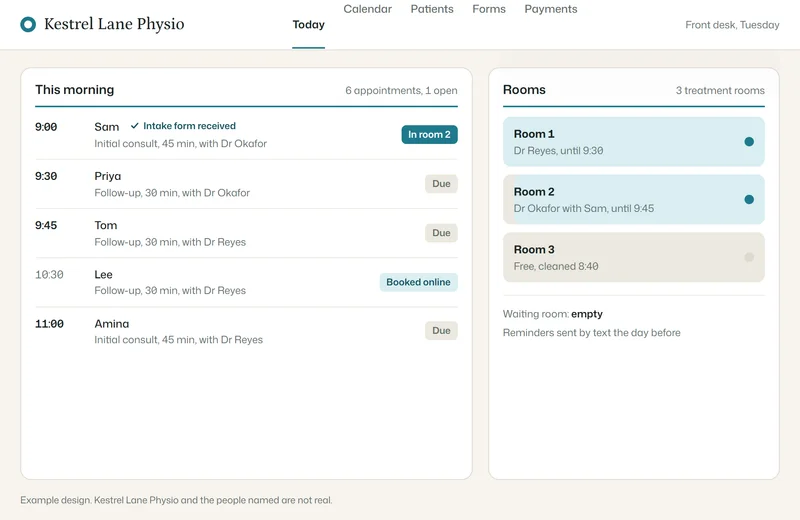
An example reception desk tool on a tablet on a front desk, showing today's appointments, arrivals and which rooms are free

Swipe sideways to see the whole screen.

The same example reception desk tool, shown on its own: the day's appointments with who has arrived and the free rooms

A reception desk tool

Today's list, who's arrived, which room is free and the intake forms, all on the front desk screen. Gaps in the day show up on the website and fill themselves.

  1. Checked in at the kiosk
  2. Intake form received
  3. In room 2, the room light comes on
  4. An open slot booked online

Example design. Kestrel Lane Physio and the people named are not real.

And a members' app

A club or community gets its own feed, events and chat behind a sign-in. Not a public group anyone can scroll through.

Example design. Saltbush Riders is not a real club.

How quoting works

You describe it. What it should do, who'll use it, a rough budget and when you need it. A paragraph in the form below is plenty.

A few questions. By email, in your own time. We only ask what changes the price: logins, payments, offline use, reports.

A written scope. Every screen and rule, a fixed price, a timeline and what's left out. It's yours to take elsewhere if you like.

Then the build. Work starts once you accept the quote and pay as it sets out. You'll see working versions at each milestone.

Most apps run in the browser

A web app runs in the browser on any device, with nothing to install. Customer portals, booking and quoting systems, dashboards and in-house tools are usually web apps. They're quicker to build and easier to change. No app store approval either.

When it has to be installed. You need an App Store and Google Play app when it uses the camera, tracks location in the background, sends push notifications or has to work with no signal. That costs more and takes longer, partly because of store review. If a web app would do, the scope says so and prices both.

What it costs to run afterwards

Like a website, an app needs hosting and updates. We quote that monthly figure alongside the build so launch doesn't come with a surprise. Web apps run on the same Sydney servers as our websites, with the same daily backups.

What you send stays with us

We use what you tell us to scope your project. Nothing else. Want a signed confidentiality agreement before you share details? Mention it in the form.

Fair questions

Do I own the code?

Yes. The source code, the accounts and the data all belong to you. Another developer can pick it up any time.

Who builds it?

We match your project to the right specialist for the platform: a web app, iPhone and Android or a connection to software you already use. You keep one email address as your contact the whole way through.

Can it connect to what we use now?

Usually. Most accounting, booking and payment software lets other systems in. The scope lists every connection and what it does, so there are no surprises.

What if we only need a website?

Then we'll tell you. A website package with an extra form or online booking often does the job for a fraction of the cost.

Describe the app

Tell us what it should do, who uses it and where it should run, plus a budget range and a timeline. The budget isn't a commitment. It just tells us whether to scope the whole idea or a first version. We'll reply by email, usually within one business day.

Have a referral code?

We reply by email, usually within one business day. No mailing list.